|

November
|
Coffee Thursday
Tenure & Promotion
Thursday,
November 5,
2026
| 1
- 2:30 p.m.
Location: Library Learning Commons E-051
Description: Tenure track faculty members are encouraged to join us to discuss processes as you
work toward your tenure and promotion. Receive helpful advice for constructing evaluation
files in alignment with the Faculty Evaluation Policy, Faculty Evaluation Procedures,
and School and Program standards. Faculty Fellow Kerri Sowers will be present offer advice and answer questions.
|
|
Beyond the Chatbot: Designing AI That Deepens Learning in Online and Hybrid Courses
Thursday,
November 5,
2026
| 2
- 3 p.m.
Location: Virtual
Description: This webinar highlights how educators and instructional leaders are integrating AI
into online and hybrid courses to create meaningful learning experiences that encourage
students to think critically, practice skills, reflect on their learning, and develop
deeper understanding. Through real-world examples, presenters will share how they
identified effective opportunities for AI, incorporated AI-powered activities into
existing curricula, and maintained educator oversight throughout the process. Participants
will gain practical strategies for designing and implementing AI in ways that enhance
learning outcomes and support student engagement, rather than simply providing shortcuts
to completion. Hosted by: Online Learning Consortium (OLC) Register Here
|
|

The Stockton Peer Observation of Teaching (SPOT) micro-certificate is a six-hour program designed to strengthen evidence-based peer observation practices
while meeting faculty evaluation requirements. Offered through three interactive 90-minute
sessions with additional independent preparation, participants may attend online,
in person, or through a combination of both. The SPOT Model emphasizes collaboration,
trust, and meaningful feedback through structured pre-observation, observation, and
post-observation processes.
by November 6
|
|

Bring real-world sources into your classroom and help students become more confident
researchers!
Friday,
November 6,
2026
| 8:30
- 9:30 a.m.
Location: E-055
Description: For faculty registered for this workshop, join us for a two-part faculty workshop
exploring how high-quality, accessible publications can enrich student research projects.
Discover practical strategies for helping students evaluate sources, develop research
skills, and apply flexible frameworks to their own work. Designed especially for early-career
faculty and those teaching first-year or introductory courses, this series offers
an opportunity to explore new approaches and exchange ideas with colleagues. WORKSHOP DETAILS
- Session 1: Friday, October 16 | 8:30–9:30 a.m. | E055
- Session 2: Friday, November 6 | 8:30–9:30 a.m. | E055
An optional follow-up consultation with the facilitators may also be offered.
|
|
Innovating from Where You Are: Thinking About Where Innovation Occurs on Your Campus
Monday,
November 9,
2026
| 12
- 1:30 p.m.
Location: Virtual
Description: For several years, we have explored how student-centered institutions foster innovation.
While some innovations stem from major institutional changes or crises, many emerge
from small groups of educators addressing needs through local experimentation. This
session highlights examples from our book, Locating Innovation in Higher Education,
showcasing innovations that enhance student learning. We will also share practical
reflections and tools to help you develop innovative approaches in your own work. Hosted by: Washington Center Register Here
|
|
How to Apply for Student Funding
Tuesday,
November 10,
2026
| 10
- 11 a.m.
Location: Zoom
Description: The purpose of this webinar is to share information on research and travel related
funding available to students. We will discuss the eligibility/application process
for each, benefits of securing an award, and best practices for ensuring a competitive
application. We will review three different funding programs:
- Student Travel Funding for Undergraduate Students (STF)
- Student Travel Funding for Graduate Students (GSTF)
- Research Experience for Undergraduates (REU)
Hosted by: The Office of Research and Sponsored Programs (ORSP) Please RSVP for the presentation. Zoom information will be sent via email prior to the session
to those who sign up.
|
|
Instructor Training for LockDown Browser & Respondus Monitor: Prevent Cheating During
Online Exams
Tuesday,
November 10,
2026
| 1
- 1:45 p.m.
Location: Virtual
Description: This training webinar provides instructors with a comprehensive introduction to using
Respondus LockDown Browser and Respondus Monitor to help maintain academic integrity
during online exams in learning management systems such as Blackboard, Canvas, Brightspace,
Moodle, and Schoology. Participants will learn how to use LockDown Browser to prevent
digital cheating in proctored settings, leverage Respondus Monitor to verify student
identity and deter misconduct in remote testing environments, understand the student
experience with both tools, efficiently review assessment data and monitoring reports,
and apply best practices for successful implementation. A recording of the session
will also be made available to all attendees. Hosted by: Respondus Register Here
|
|
Using Rubrics in Blackboard as an Inclusive Practice - Part I
Friday,
November 13,
2026
| 11:15 a.m.
- 12:15 p.m.
Location: Zoom
Description: This two-part workshop explores rubrics as an inclusive teaching practice. In Part
1, faculty will develop or refine a rubric for an existing assignment, focusing on
transparency, alignment, observable criteria, and meaningful performance levels. In
Part 2, participants will build and use that rubric in Blackboard, providing students
with clear expectations for their work. WORKSHOP DETAILS
- Session 1: Friday, November 13 | 11:15 am to 12:15 pm
- Session 2: Friday, November 20 | 11:15 am to 12:15 pm
Presenters: Dennis Fotia, Instructional Specialist and Alaina Walton, Director of Academic Assessment
Join Session: https://stockton.zoom.us/j/89004803250?pwd=WPZSKELQPMQWMuw9xDRsWjUqbLOLb5.1
|
|
Ally in Practice: Promoting Alternative Formats to Students - 10am
Monday,
November 16,
2026
| 10
- 11 a.m.
Location: Virtual
Description: This session highlights how Blackboard Ally Alternative Formats can enhance student
access to course materials by providing multiple options, such as audio, ePub, and
HTML, to support different learning preferences, devices, and situations. Participants
will learn practical strategies for increasing student awareness and use of these
formats, including how to introduce and explain their benefits, share real-world student
use cases, incorporate promotional resources and syllabus statements, and identify
key opportunities throughout the semester, such as exam preparation and course review
periods, to remind students about the availability of Alternative Formats. Hosted by: Blackboard Register Here
|
|
Ally in Practice: Promoting Alternative Formats to Students - 2pm
Monday,
November 16,
2026
| 2
- 3 p.m.
Location: Virtual
Description: This session highlights how Blackboard Ally Alternative Formats can enhance student
access to course materials by providing multiple options, such as audio, ePub, and
HTML, to support different learning preferences, devices, and situations. Participants
will learn practical strategies for increasing student awareness and use of these
formats, including how to introduce and explain their benefits, share real-world student
use cases, incorporate promotional resources and syllabus statements, and identify
key opportunities throughout the semester, such as exam preparation and course review
periods, to remind students about the availability of Alternative Formats. Hosted by: Blackboard Register Here
|
|

Blackboard Digital Teaching Symposium 2026
Thursday,
November 19,
2026
Location: Virtual
Description: Digital Teaching Symposium (Reach, Teach & Demonstrate) is a free, virtual one-day
conference that brings together higher education faculty and educators from around
the world to share practical strategies, experiences, and innovations in digital teaching
and learning. DTS focuses on peer-to-peer learning through sessions that explore how
educators can effectively reach diverse learners, teach in an evolving educational
landscape, and demonstrate the impact of their teaching practices. Participants can
expect actionable ideas, real-world examples, fresh perspectives, and opportunities
to connect with colleagues while discovering new approaches to enhancing student engagement
and success. Hosted by: Blackboard Register Here
|
|
Check Before You Post: Accessible Word and PowerPoint files - Nov 20
Friday,
November 20,
2026
| 10
- 11 a.m.
Location: Zoom
Description: Creating accessible documents and presentations does not have to be complicated.
In this hands-on session, participants will learn how to use the built-in Accessibility
Checker in Microsoft Word and PowerPoint to identify and fix common accessibility
issues before sharing content with students. Discover how simple improvements such
as using headings, adding alternative text, checking reading order, and ensuring sufficient
color contrast can make your materials more inclusive and ADA-compliant. Leave with
practical strategies and a quick workflow for creating more accessible content with
confidence. Presenter: Roberto Castillo, Senior Instructional Specialist Join Session: https://stockton.zoom.us/j/81289488274?pwd=y3bgXk51UyX30v2XexTmttmp7mqR5d.1
|
|
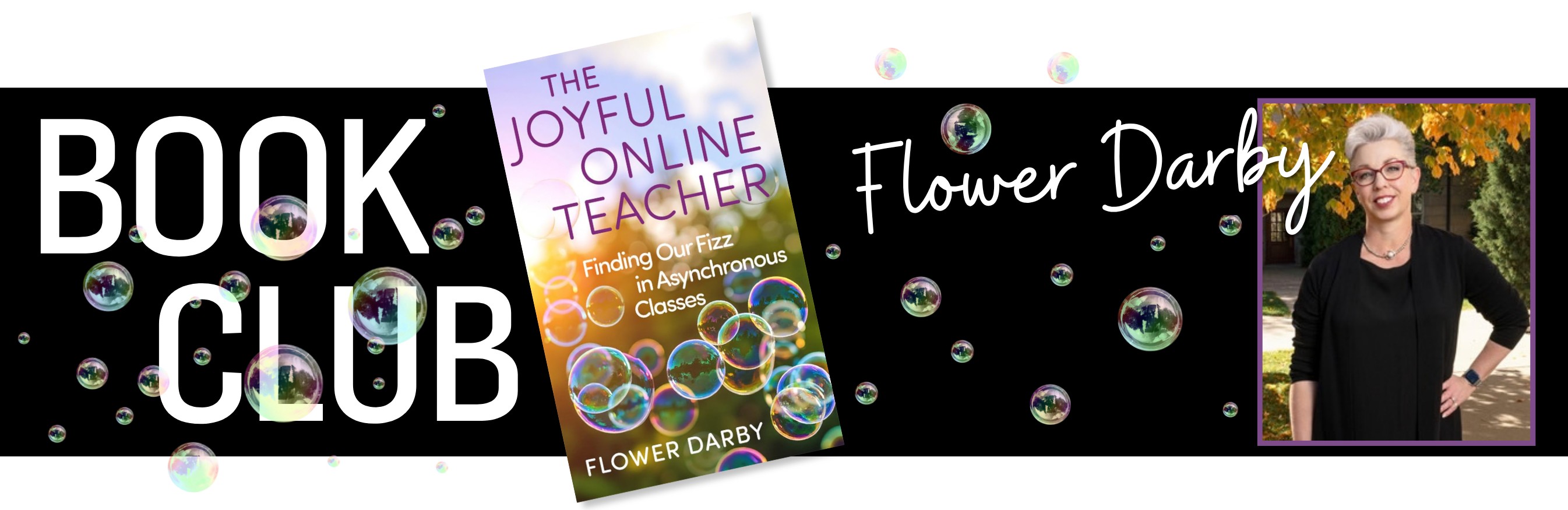
Be a part of STARS before it begins! | Join the Flower Darby Book Club
This year’s STARS Keynote Speaker is author and educator Flower Darby! In anticipation of her March 30 address, join the CTLD for a faculty book club featuring
her latest publication, The Joyful Online Teacher: Finding Our Fizz in Asynchronous
Classes.
We’ll kick things off with an in-person welcome session on November 20, where participants will receive their complimentary copy of the book. After the
winter break, we’ll reconnect via Zoom for a series of engaging conversations exploring
Darby’s ideas and how they connect to our own teaching experiences.
Book Club Schedule
- Friday, November 20 at 9am, Library Learning Commons E030: Welcome, Book Distribution & Finding Our Fizz
- Friday, January 22 at 3:30pm: Zoom Discussion
- Friday, February 5 at 3:30pm: Zoom Discussion
- Friday, February 19 at 3:30pm: Zoom Discussion
- Friday, March 5 at 3:30pm: Zoom Discussion
- Friday, March 19 at 3:30pm: Zoom Discussion
As a special culmination of the experience, Book Club participants will be invited
to take part in a faculty panel following Flower Darby’s STARS Keynote Address on
March 30, sharing insights, ideas, and perspectives inspired by the book and their
own teaching.
For registered faculty, join the Zoom Discussion at: https://stockton.zoom.us/j/82687038809?pwd=cnslAKwPDam1juUb55IuLkFbbkiOYG.1
Books will be provided by the CTLD. We hope you’ll join us as we read, reflect, and
find our fizz together!
|
|
Using Rubrics in Blackboard as an Inclusive Practice - Part II
Friday,
November 20,
2026
| 11:15 a.m.
- 12:15 p.m.
Location: Zoom
Description: This two-part workshop explores rubrics as an inclusive teaching practice. In Part
1, faculty will develop or refine a rubric for an existing assignment, focusing on
transparency, alignment, observable criteria, and meaningful performance levels. In
Part 2, participants will build and use that rubric in Blackboard, providing students
with clear expectations for their work. WORKSHOP DETAILS
- Session 1: Friday, November 13 | 11:15 am to 12:15 pm
- Session 2: Friday, November 20 | 11:15 am to 12:15 pm
Presenters: Dennis Fotia, Instructional Specialist and Alaina Walton, Director of Academic Assessment
Join Session: https://stockton.zoom.us/j/89004803250?pwd=WPZSKELQPMQWMuw9xDRsWjUqbLOLb5.1
|
|
Microsoft's Speaker Coach: Authentic Student Assessment in an AI-Infused World
Monday,
November 23,
2026
| 12:30
- 1 p.m.
Location: Zoom
Description: Discover how Microsoft Speaker Coach can be used to support student communication
skills and authentic assessment practices. Participants will explore features that
provide feedback on presentations, speaking pace, and audience engagement. The session
will also consider how AI-assisted tools can complement assessment strategies while
maintaining academic integrity and meaningful evaluation of student learning. Presented by: Abigail Laird, Instructional Designer Join Session: https://stockton.zoom.us/j/81599666098?pwd=yIIYDznKBDuO870NBi9FdDWovqLvdh.1
|
December
Third Year File Construction
(By invitation only)
Monday,
December 7,
2026
| 12
- 1 p.m.
Location: Zoom
Description: The session is designed for third year faculty and will focus on file construction.
Facilitated by: Kerri Sowers, Professor of Health Science, CTLD Tenure & Promotion Faculty Fellow
|
|
Fifth Year Tenure & Promotion File Construction
(By invitation only)
Monday,
December 7,
2026
| 1:30
- 2:30 p.m.
Location: Zoom
Description: The session is designed for fifth year faculty and will focus on file construction.
Facilitated by: Kerri Sowers, Professor of Health Science, CTLD Tenure & Promotion Faculty Fellow
|
|
Supporting Accessibility through Copyright and Fair Use
Tuesday,
December 8,
2026
| 4
- 5 p.m.
Location: Virtual
Description: An introduction to the basics of copyright and fair use in higher education, with
a focus on how these concepts arise in digital and online learning. Participants will
explore practical considerations for using, sharing, and adapting instructional materials
in ways that support accessibility. Hosted by: Online Learning Consortium (OLC) Register Here
|
On-Demand Sessions
|
Edge.Cast
Description: The presenters highlight common digital accessibility challenges, while offering
practical strategies to help create more inclusive online experiences.
Provided by: Edge
Duration: 20 mins.
Watch Episode
|
|
Start preparing your course(s) in Ultra
Description: Learn to efficiently design courses while streamlining assessment, grading, and collaboration
to enhance student feedback and engagement.
Provided by: Blackboard
Duration: aprox. 60 minutes session
Watch Recorded Webinar Here
|
|
Streaming Library Video Resources

|
|
Lightboard Tutorial
Description: A lightboard consists of a glass surface illuminated by LED lights, allowing instructors
to write or draw on the board while facing their audience. It enables educators to
create engaging, dynamic content that can be recorded and shared digitally, fostering
interactive and visually impactful learning experiences.
Created by: Philip Eaton & Barry Pemberton
Duration: 9:27 mins.
Watch Tutorial Here
|
|
AI in Higher Ed: Opportunities and Threats
Description: How will artificial intelligence (AI) tools (such as ChatGPT and Bard) affect online,
blended, and digital learning in higher education? Join us for a panel discussion
on the opportunities and threats associated with this emerging technology.
Many instructors, support staff, and institutional leaders are concerned about the
impact of AI on academic honesty in higher education. Others see AI as a potentially
useful pedagogical tool.
Provided by: Online Learning Consortium (OLC)
Duration: 60 mins. Watch Recorded Webinar Here |
|
7 Steps To Update Courses In The Age Of Generative AI
Description: Using generative AI tools in course refresh helps faculty gain a new perspective
and navigate AI platforms, increasing the likelihood of incorporating these tools
into courses; this, in turn, equips students with essential AI navigational skills
for improved job market readiness post-graduation.
Written by: Professor of Business Information Systems Practice and an Honors Faculty Fellow at
the Neeley School of Business, Texas Christian University.
Duration: 20 mins.
Access Resource Here
|
|
Inclusive Teaching: Strategies for Engaging All Students
Description: This course will guide you through the theory of inclusive teaching and giving you
practical strategies to create a classroom culture of belonging.
Hosted by: Mentimeter.
Duration: 60 mins.
Access Course Here
|
|
Neuroscience Based Learning: Strategies for making your content stick
Description: The course covers various techniques and strategies, including memory formation, attention,
and motivation.
Hosted by: Mentimeter.
Duration: 60 mins.
Access Course Here
|
|